Parameters file#
All pyHiM parameters are gathered in a single configuration file called parameters.json.
This file can be edited manually or using a graphical user interface.
You can find a global description of each parameter in the reference guide.
Manually#
Copy an
parameters.jsonfile in the folder where you want to runpyHiM.
Note
A typical example can be find on GitHub 
With a text editor, update the relevant parameters. For example, the name of the
referenceFiducialneeds to be changed according to your experiment settings.The
commonsection defines the default parameters for each label. For each label, you can personalize the value of a parameter by indicating its new value in thelabelsection.
Example: The Z projection will be done by Maximum Intensity Projection (MIP) for all labels except for the barcode images, which will use the sum method:
    "common": {
        "zProject": {
            "zProjectOption": "MIP",
            "..."
        },
        "..."
    },
    "labels": {
        "barcode": {
            "zProject": {
                "zProjectOption": "sum",
            }
        },
        "..."
    }
Graphical user interface#
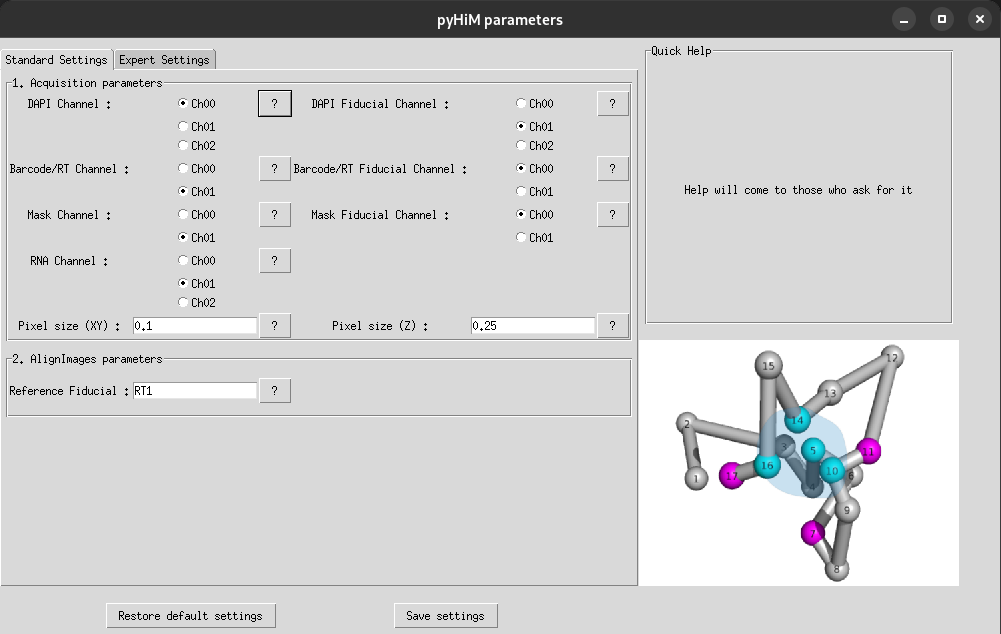
You can also create and modify parameters.json with an interface. In the folder where your data are saved, launch the editor:
pyhim_parameters
Indicate your parameters and click on Save settings. An parameters.json file will be created inside your folder with the modified parameters.
Note
If you have modified an existing parameters.json, a copy of the previous version will be saved in the file named parameters_preversion.json.