
Apply registration#
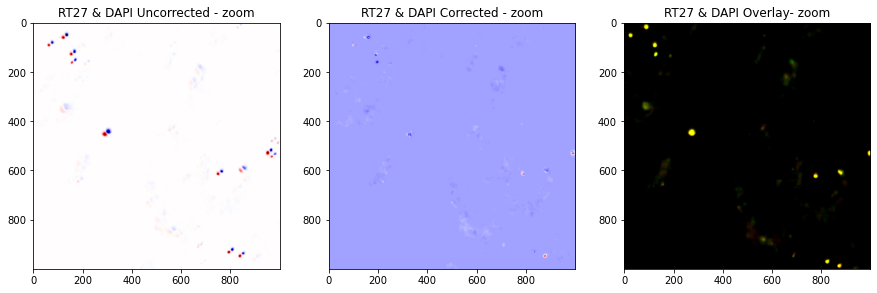
Applies registration to DAPI and barcodes
Invoke#
Inside the folder with your input data, run:
pyhim -C register_global
Inputs#
Name shape |
Quantity |
Mandatory |
Description |
|---|---|---|---|
parameters.json |
1 |
Yes |
Parameter file. |
register_global.ecsv |
1 |
Yes |
XY alignment resulting from the XY alignment produced while running |
Outputs#
Name shape |
Quantity |
Description |
|---|---|---|
2D_registered.npy |
2..n |
2D registered images |
Relevant options#
Description#
To run this function exclusively, run pyHiM using the -C register_global argument. It loads masks, RNA, and barcodes 2D projected images, and applies registrations to them. The resulting images are saved as npy arrays in the alignImages folder.